
Food warehouse
Warehouse software for food – lots and expiry under control
Paletko picks the earliest expiry first, warns about expiring lots and never lets expired goods leave for a customer.
Food warehouse
Sound familiar?

Expired goods found too late
A lot that is about to expire sits at the back and only shows up at the stocktake.

Chilled and ambient goods mixed up
It is hard to track which goods are in which chamber and how much is still good.

“Which lot went to which customer?”
When someone asks, the answer is in notebooks and emails.
The solution
How Paletko solves it
Earliest expiry goes out first (FEFO)
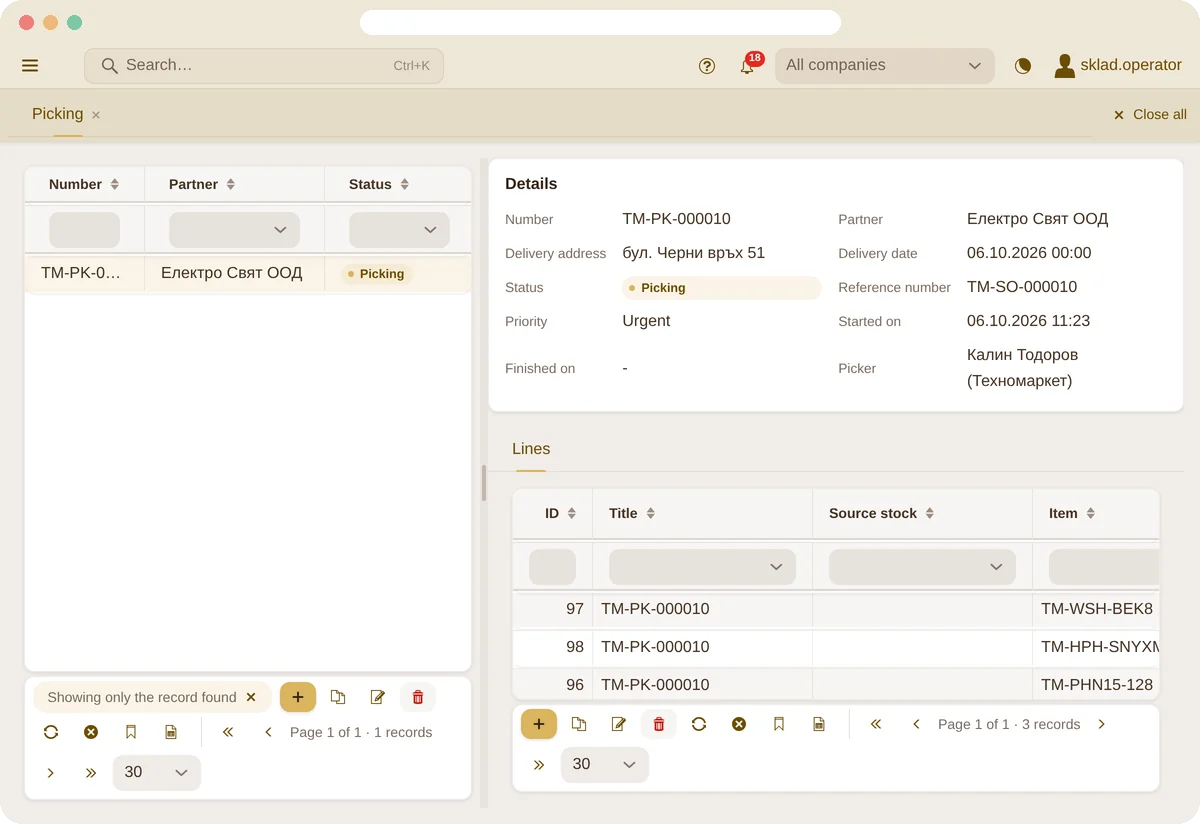
Reservation picks lots by expiry date and skips blocked and expired ones. The picker takes exactly the lot the scanner shows.
- Automatic reservation by expiry
- An expired lot cannot be sold
- Block a lot with one click
A warning before it is too late
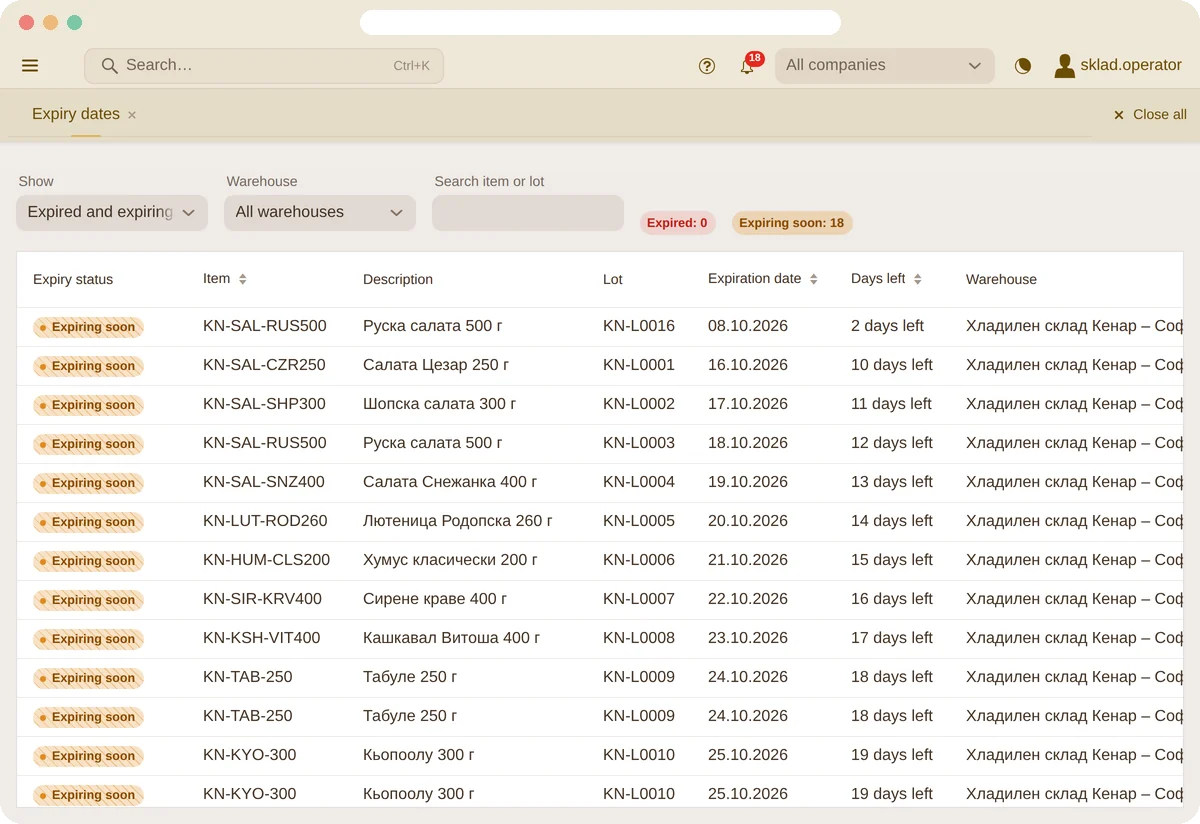
The Expiry report shows expired and expiring lots by warehouse and bin, and an email with them arrives every day.
- Warning threshold per item or for the whole company
- Daily email with the expiring lots
- By warehouse, bin and lot
Lot and expiry right at receiving
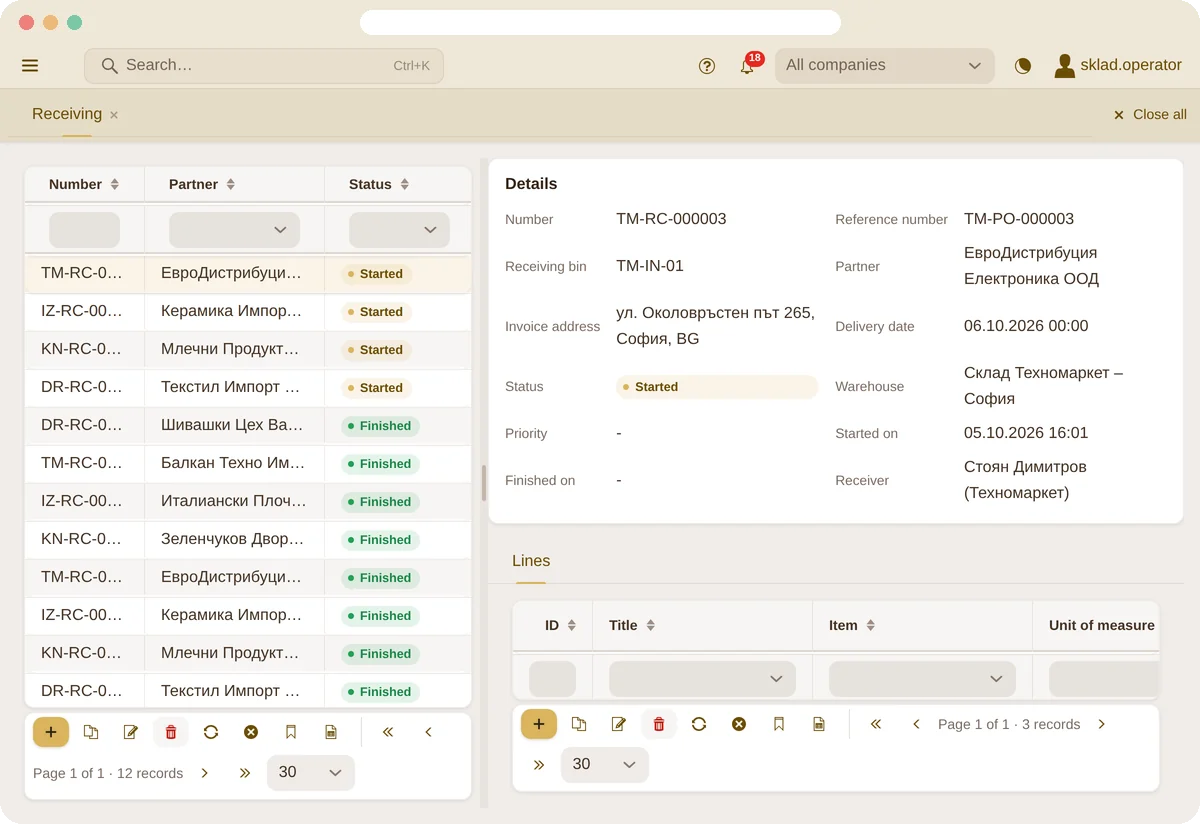
When receiving, the scanner asks for lot and expiry date on the items that need them. Every movement of the goods keeps its lot.
- Lot and expiry required per item
- Movement history of every lot
- Separate zones – e.g. a cold room, or damaged goods that don’t count as stock
Questions
Frequently asked questions
Are lot and expiry required for every item?
No – you set them per item. For an item with an expiry date Paletko requires both when receiving.
What happens to an expired lot?
It is not reserved and cannot be sold. You can also block a lot yourself – for example if its quality is in doubt.
Can I see where a lot went?
Yes – every movement (receiving, moving, picking, selling) keeps its lot.
Try it with your food company
In seconds we create a warehouse with sample food items, lots and expiry dates – under your company’s name.